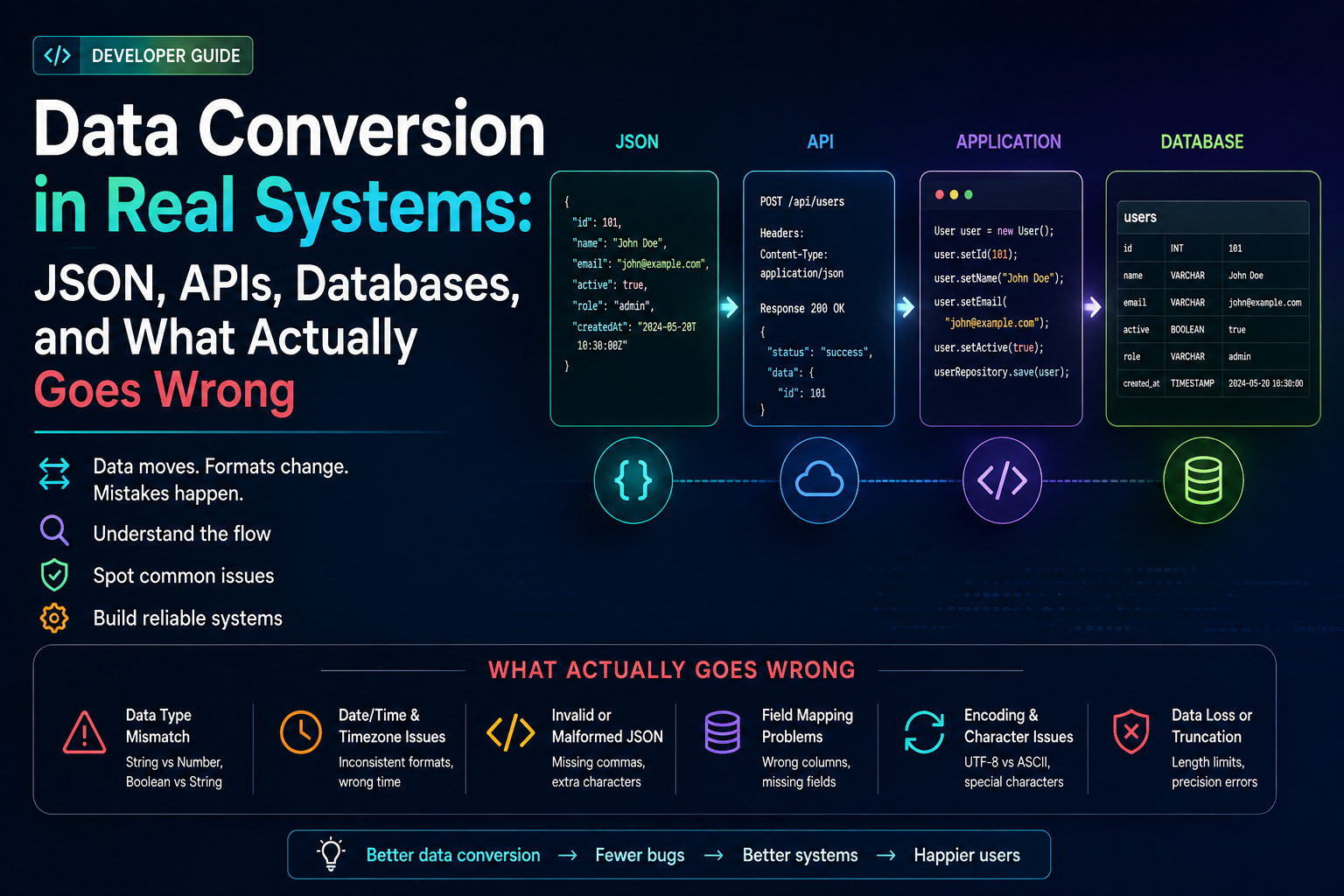
The financial data incident I want to start with happened in 2021. A payment reconciliation pipeline was converting transaction amounts from a third-party API response into database records. The API returned amounts as strings — "12.50", "103.00", "7.99". Somewhere in the conversion layer, a developer had parsed those strings into Java doubles before writing to the database. Double cannot represent most decimal fractions exactly. "12.50" became 12.499999999999998 in some cases. Over a month of transaction records, the accumulated rounding differences were enough that the reconciliation reports didn't balance. Finance noticed before we did.
That's what data conversion problems look like in production. Not crashes. Not errors. Silent drift over time that compounds until something doesn't add up — literally, in that case.
This article covers the specific problems that appear when converting between real formats in real systems: JSON to CSV, JSON to XML, API responses to database records, schema mapping decisions, null handling, date/time conversion, precision loss, streaming vs in-memory approaches, validation, and security. Code examples throughout.
JSON to CSV — The Flattening Problem
JSON and CSV have a fundamental structural mismatch. JSON is hierarchical — objects can nest infinitely. CSV is flat — every row has the same set of columns. When you convert a JSON array of user objects where each user has a nested address object, you have to make a decision that the conversion tool might make for you silently.
JSON source — nested structure that CSV cannot directly represent
[
  {
    "id": "019571a2-f847-7f3e-9b2c",
    "name": "Priya Singh",
    "email": "priya@example.com",
    "address": {
      "city": "Bengaluru",
      "country": "IN"
    },
    "roles": ["admin", "developer"]
  }
]
Three ways to flatten it — each loses something different
// Option 1: Flatten nested fields with dot notation
id,name,email,address.city,address.country,roles
019571a2...,Priya Singh,priya@example.com,Bengaluru,IN,"[""admin"",""developer""]"
// Roles array serialized as JSON string inside CSV cell
// Round-tripping back to JSON requires knowing roles was an array
// Option 2: Skip nested objects entirely
id,name,email
019571a2...,Priya Singh,priya@example.com
// Address and roles lost permanently — destructive conversion
// Option 3: One row per array item (only works for single array fields)
id,name,email,address.city,role
019571a2...,Priya Singh,priya@example.com,Bengaluru,admin
019571a2...,Priya Singh,priya@example.com,Bengaluru,developer
// Duplicates non-array fields — ambiguous if user data also changesNone of these is wrong — they're different trade-offs depending on what the CSV will be used for. The problem is when a conversion tool makes this choice silently and you don't notice until the CSV is already in someone's spreadsheet or loaded into a database table.
Before any JSON-to-CSV conversion in a real system, document explicitly: how nested objects are handled, how arrays are handled, which fields are included and excluded, and what the column naming convention is. This documentation is the schema contract for the output. Without it, the "correct" CSV is whatever the tool produced, which is not the same as what the downstream system expects.
For quick one-off JSON-to-CSV conversions: LearnHubly JSON to CSV Converter. Shows you the flattening decisions it makes, handles nested objects with dot notation, and processes everything client-side.
JSON to XML — When the Structures Don't Map Cleanly
JSON and XML are both hierarchical, which makes you think the conversion should be straightforward. It mostly is, until you hit the places where the models diverge: attributes vs elements, arrays without wrapper elements, mixed content, and namespaces.
Java — Jackson XML conversion with explicit attribute handling
import com.fasterxml.jackson.dataformat.xml.XmlMapper;
import com.fasterxml.jackson.dataformat.xml.annotation.*;

// The annotation controls how the field maps to XML
public class User {
    @JacksonXmlProperty(isAttribute = true)
    public String id;           // renders as <user id="..."> attribute

    @JacksonXmlProperty(localName = "full-name")
    public String name;         // renders as <full-name> element

    @JacksonXmlElementWrapper(localName = "roles")
    @JacksonXmlProperty(localName = "role")
    public List<String> roles;  // renders as <roles><role>...</role></roles>
}

XmlMapper xmlMapper = new XmlMapper();
String xml = xmlMapper.writeValueAsString(user);
// Without these annotations, Jackson makes its own decisions
// and the output XML often surprises you
The arrays-without-wrappers problem is the most common source of XML conversion bugs. A JSON array ["admin", "developer"] could become <roles><item>admin</item><item>developer</item></roles> or <roles>admin</roles><roles>developer</roles> depending on the library and its configuration. If the receiving system expects a specific structure, the default might be wrong. Always test round-trip conversion — JSON → XML → JSON — and verify you get back what you started with.
For quick JSON-to-XML conversion to verify structure: LearnHubly JSON to XML Converter. Useful for checking what the output looks like before writing library code around it.
API Response to Database — Where Most Schema Mapping Problems Live
This is the conversion scenario I deal with most in production systems: an API response comes back in one shape, and it needs to go into a database table or document store that has a different shape. The mismatch is almost always there, because the API was designed for frontend consumption and the database was designed for querying and storage.
Java — mapping an API response to a database entity explicitly
// API response shape (what the third-party sends)
public class PaymentApiResponse {
    public String transaction_id;     // snake_case in API
    public String amount;             // string in API (always)
    public String currency_code;
    public String created_at;         // ISO-8601 string
    public String status;
    public Map<String, Object> metadata;  // arbitrary key-value
}

// Database entity shape (what your schema expects)
@Entity
public class PaymentRecord {
    @Id
    private UUID transactionId;       // UUID type, not String
    private BigDecimal amount;        // BigDecimal, not String
    private String currencyCode;      // camelCase
    private Instant createdAt;        // Instant, not String
    private PaymentStatus status;     // enum, not String
    // metadata stored as JSONB column
    @Column(columnDefinition = "jsonb")
    private String metadata;
}

// Explicit mapper — every conversion decision is visible and testable
public PaymentRecord toEntity(PaymentApiResponse response) {
    PaymentRecord record = new PaymentRecord();

    // UUID parsing — throws if malformed
    record.setTransactionId(UUID.fromString(response.transaction_id));

    // BigDecimal from string — preserves exact decimal value
    // Never parse to double first
    record.setAmount(new BigDecimal(response.amount));

    record.setCurrencyCode(response.currency_code);

    // Parse ISO-8601 to Instant — explicit timezone handling
    record.setCreatedAt(Instant.parse(response.created_at));

    // Enum conversion with fallback for unknown values
    record.setStatus(PaymentStatus.fromApiValue(response.status));

    // Serialize metadata map back to JSON string for JSONB column
    record.setMetadata(objectMapper.writeValueAsString(response.metadata));

    return record;
}
Every conversion decision in that mapper is explicit, which means every one of them is testable. Compare this to using an ORM's automatic mapping or a generic converter that uses reflection — the conversions happen but you can't see them, which means you don't test them, which means they fail in production when the API sends something slightly unexpected.
The financial data incident, explained. The original code was using Jackson's default deserialization — it mapped the amount string to a double automatically. Nobody wrote an explicit conversion. Nobody tested what happened to "12.50" after round-tripping through a double. The fix was a custom deserializer that parsed to BigDecimal, plus a migration to fix the records already in the database. The migration took longer than the fix.
Explicit mappers are more code. They're worth it.
Null Handling — The Decision Nobody Documents
Nulls are where conversion bugs hide most effectively. The field is missing. The field is present but null. The field is present but an empty string. These are three different states and most conversion pipelines treat them identically, which is wrong.
The three null states and what they should mean
// State 1: field absent from JSON
{}
// Semantics: "we don't know" or "not applicable"
// Should typically map to NULL in database

// State 2: field present, null value
{ "nickname": null }
// Semantics: "we know there is no value" (user explicitly has no nickname)
// Depending on domain, might be different from "unknown"

// State 3: field present, empty string
{ "nickname": "" }
// Semantics: often a UI artifact — user submitted an empty form field
// Should usually be treated as null, but sometimes not (username "" is invalid)

// Java — handling all three explicitly
String nickname = response.nickname;  // null if absent OR if value is null
String normalised = (nickname == null || nickname.isBlank()) ? null : nickname.strip();
// Now empty string and null are both stored as NULL
// Document this decision in the mapper and in the schema
The decision that matters most: what does NULL mean in your database column for this field? Is it "unknown," "not set," or "user explicitly left blank"? These have different implications for querying, display, and validation. Making the decision at the conversion layer and documenting it is the only way to avoid arguments about what the data means six months later when someone's writing a report query.
Never silently coerce null to an empty string or zero during conversion. Empty string and null are different values in most databases, ORMs, and display layers. Zero and null are completely different semantics for numeric fields. Silent coercion hides the original state of the data and makes it impossible to distinguish "unknown" from "zero" later.
Type Conversion — The Places Precision Dies
The most dangerous type conversions are the ones that appear to work. The financial data example is the canonical case, but there are others.
| Conversion | What appears to work | What actually happens | Correct approach |
|---|---|---|---|
| String "12.50" → double | Parses successfully, looks correct | 12.499999999999998 or 12.5 depending on the value | Parse to BigDecimal always for money |
| JSON number 9007199254740993 → JS Number | Parses without error | 9007199254740992 — JavaScript loses precision on large integers | Pass large integers as strings in JSON if JS is a consumer |
| Boolean "true" (string) → boolean | Works for "true" and "false" | "True", "TRUE", "1", "yes" all fail or return false | Explicit case-insensitive mapping, reject unexpected values |
| Integer → enum | Works while the enum is stable | New enum values added to the API break the ordinal mapping | Map by name/string value, never by ordinal |
| ISO-8601 string → Date (Java) | Parses most values | Date has no timezone — timezone offset silently dropped | Use Instant or ZonedDateTime, never Date |
Java — correct numeric type handling in conversion
// Wrong — loses precision for most decimal values
double amount = Double.parseDouble(apiResponse.getAmount());

// Correct — exact decimal arithmetic
BigDecimal amount = new BigDecimal(apiResponse.getAmount());
// If the API might return scientific notation ("1.25e2"):
BigDecimal amount = new BigDecimal(apiResponse.getAmount()).stripTrailingZeros();

// Wrong — JavaScript loses integers above 2^53
{ "transactionId": 9007199254740993 }  // JS sees 9007199254740992

// Correct — send large IDs as strings
{ "transactionId": "9007199254740993" }  // preserved exactly
Date and Time Conversion — The Timezone Trap
Date/time conversion is the source of more subtle bugs than almost anything else in data pipelines. The problems compound: the API sends one format, the database stores another, the display layer expects a third, and each conversion step has a chance to silently shift the value.
Java — date/time conversion with explicit timezone handling
// What the API sends
String apiTimestamp = "2026-03-14T09:22:41+05:30";  // IST

// Wrong — LocalDateTime loses the timezone offset silently
LocalDateTime wrong = LocalDateTime.parse(apiTimestamp,
    DateTimeFormatter.ISO_OFFSET_DATE_TIME);
// wrong: 2026-03-14T09:22:41 — offset dropped, value now ambiguous

// Correct — parse to ZonedDateTime, convert to UTC for storage
ZonedDateTime withZone = ZonedDateTime.parse(apiTimestamp,
    DateTimeFormatter.ISO_OFFSET_DATE_TIME);
Instant utc = withZone.toInstant();
// utc: 2026-03-14T03:52:41Z — unambiguous UTC for database storage

// Store UTC in the database — convert to local timezone at display time only
// Never store local time in the database if users span multiple timezones

// For conversion to a different string format
String formatted = withZone
    .withZoneSameInstant(ZoneId.of("UTC"))
    .format(DateTimeFormatter.ISO_INSTANT);
// "2026-03-14T03:52:41Z"
The rule I enforce on every system I build: store timestamps as UTC Instant everywhere in the data layer. Convert to local timezone only at the presentation layer, as late as possible, using the user's stated timezone preference. Any other approach accumulates timezone ambiguity through the pipeline and eventually produces a record where you don't know if "09:22" meant IST or UTC.
Encoding — UTF-8 Through Every Layer
Character encoding problems are the kind that work fine in testing — because your test data uses ASCII — and fail in production when a user from India, Japan, or France submits their name. The failure is usually garbled characters, which gets logged as "display bug" and investigated by the frontend team for three hours before someone thinks to check the encoding at the API boundary.
Java — explicit encoding throughout the conversion pipeline
// Reading from an external file with explicit charset
String content = Files.readString(path, StandardCharsets.UTF_8);

// Writing CSV with explicit encoding
try (Writer writer = new OutputStreamWriter(
        new FileOutputStream("output.csv"),
        StandardCharsets.UTF_8)) {
    // Write with BOM for Excel compatibility (Excel expects BOM for UTF-8 CSV)
    writer.write('\uFEFF');  // BOM
    writer.write(csvContent);
}

// HTTP response with explicit charset
@GetMapping(value = "/export", produces = "text/csv;charset=UTF-8")
public ResponseEntity<String> exportCsv() {
    return ResponseEntity.ok()
        .header("Content-Disposition", "attachment; filename=export.csv")
        .contentType(MediaType.parseMediaType("text/csv;charset=UTF-8"))
        .body(generateCsv());
}
The Excel BOM is worth a specific callout: if you're generating CSV that users will open in Excel on Windows, add a UTF-8 BOM (\uFEFF) at the start of the file. Without it, Excel opens the file in the system default encoding — often Windows-1252 on European machines — and any non-ASCII characters become garbage. This is a known Excel behaviour that has not changed in decades.
Streaming vs In-Memory — When the Choice Matters
For most development work, loading the entire dataset into memory and converting it is fine. But there's a threshold where that approach either crashes or creates enough memory pressure to cause GC pauses that affect other requests. The threshold is roughly 50MB, but it depends on the structure of the data and the heap available.
Java — streaming JSON to CSV conversion with Jackson
// In-memory approach: fine for small files, risky for large ones
List<User> users = objectMapper.readValue(jsonFile,
    new TypeReference<List<User>>(){});
// Entire list in memory before any CSV is written

// Streaming approach: constant memory regardless of file size
try (JsonParser parser = objectMapper.getFactory().createParser(jsonFile);
     Writer csvWriter = new FileWriter("output.csv")) {

    // Expect a JSON array
    if (parser.nextToken() != JsonToken.START_ARRAY) {
        throw new IllegalStateException("Expected JSON array");
    }

    while (parser.nextToken() != JsonToken.END_ARRAY) {
        // Read one user object at a time — GC can collect previous ones
        User user = objectMapper.readValue(parser, User.class);
        csvWriter.write(toCsvRow(user));
        csvWriter.write('\n');
        // user goes out of scope here, eligible for GC
    }
}
// Peak memory: one User object + the CSV writer buffer
// vs: the entire list + CSV string for in-memory approach
The streaming approach is more code. It's also the one that works at 2am when someone queues a bulk export of 200,000 records and you don't want it to take down the service. A reasonable default: use in-memory for files you know are under 10MB, streaming for anything that might grow, and always streaming for user-initiated exports where you don't control the size.
Validation — Before, During, and After
Conversion and validation are different things but they belong in the same pipeline. Validation before conversion catches malformed inputs before they produce silent bad outputs. Validation after conversion catches conversion bugs. Both are necessary because one doesn't substitute for the other.
Java — validation pipeline around a conversion
public PaymentRecord convert(PaymentApiResponse response) {
    // 1. Validate input — before any conversion
    validateInput(response);

    // 2. Convert — explicit, testable
    PaymentRecord record = mapper.toEntity(response);

    // 3. Validate output — catches conversion bugs
    validateOutput(record);

    return record;
}

private void validateInput(PaymentApiResponse response) {
    if (response.transaction_id == null || response.transaction_id.isBlank()) {
        throw new ConversionException("transaction_id is required");
    }
    if (response.amount == null) {
        throw new ConversionException("amount is required");
    }
    // Validate amount is a valid decimal string before parsing
    try { new BigDecimal(response.amount); }
    catch (NumberFormatException e) {
        throw new ConversionException("amount is not a valid decimal: " + response.amount);
    }
    // Validate created_at is valid ISO-8601
    try { Instant.parse(response.created_at); }
    catch (DateTimeParseException e) {
        throw new ConversionException("created_at is not valid ISO-8601: " + response.created_at);
    }
}

private void validateOutput(PaymentRecord record) {
    // Business rule validation on the converted entity
    if (record.getAmount().compareTo(BigDecimal.ZERO) <= 0) {
        throw new ConversionException("Converted amount must be positive");
    }
    if (record.getCreatedAt().isAfter(Instant.now().plusSeconds(60))) {
        throw new ConversionException("Created timestamp is in the future");
    }
}
Security — What Conversion Can Introduce
Conversion is an injection risk surface that gets overlooked because the security review focused on the API endpoints, not on what happens to the data after it arrives. Two specific risks are worth being explicit about.
CSV injection
A CSV cell that starts with =, +, -, or @ is interpreted as a formula by Excel and Google Sheets. If user-supplied data can contain these characters and you write it to a CSV without escaping, an attacker can embed formulas that execute on the recipient's machine when they open the file. This is a real attack vector, not a theoretical one.
Java — sanitise CSV cells against formula injection
public String sanitiseCsvCell(String value) {
    if (value == null) return "";
    // Strip leading characters that Excel interprets as formula start
    String sanitised = value.stripLeading();
    if (!sanitised.isEmpty() &&
            "=+-@\t\r".indexOf(sanitised.charAt(0)) >= 0) {
        // Prefix with single quote — tells Excel to treat as text
        return "'" + value;
    }
    return value;
}
// Apply this to every cell from user-supplied data before writing CSV
XML external entity injection (XXE)
If your conversion accepts XML as input, make sure the XML parser has external entity processing disabled. An attacker who can supply XML can use XXE to read files from the server's filesystem, make internal network requests, or cause denial of service through entity expansion.
Java — disable XXE in XML parsers
DocumentBuilderFactory factory = DocumentBuilderFactory.newInstance();
factory.setFeature("http://apache.org/xml/features/disallow-doctype-decl", true);
factory.setFeature("http://xml.org/sax/features/external-general-entities", false);
factory.setFeature("http://xml.org/sax/features/external-parameter-entities", false);
factory.setExpandEntityReferences(false);
// These four settings disable the XXE attack vector
Both of these are bugs that only appear when someone is looking for them, or when an attacker finds them first. Add CSV injection sanitisation and XXE prevention to your code review checklist for any feature that involves format conversion.
FAQs
JSON supports nested objects and arrays. CSV is flat. When you convert a JSON object with nested fields, you have to decide how to represent the nesting — flatten with dot notation, skip nested objects, or serialize them as JSON strings inside cells. Every approach loses something relative to the original structure. The problem is when a conversion tool makes this decision silently. Document the flattening decisions explicitly before any production conversion.
Handle nulls explicitly at every boundary. Decide whether null means "unknown," "not applicable," or "missing" — these have different semantics for downstream systems. Never silently coerce null to empty string or zero: those are meaningfully different values in databases and display layers. Document the null semantics in your schema and test null paths explicitly — they're the paths most likely to be skipped in testing and most likely to cause production bugs.
When the dataset is large enough to risk memory pressure — roughly files over 50MB or API responses with thousands of records. Streaming parsers process one element at a time, keeping memory roughly flat regardless of file size. The trade-off is more complex code. Use in-memory for files you know are small, streaming for anything user-initiated or unbounded in size — you don't want a bulk export request to OOM the service at 2am.
Never use float or double for financial amounts at any point in a conversion pipeline. Use BigDecimal in Java, Python's Decimal module, or keep amounts as strings if your system doesn't do arithmetic on them. Float cannot represent most decimal fractions exactly — 0.1 + 0.2 in float arithmetic is 0.30000000000000004. Parse API strings directly to BigDecimal, store as DECIMAL in the database, and only convert to display format at the presentation layer.
Conversion Is Architecture, Not Plumbing
The financial data incident I opened with wasn't a bug someone introduced carelessly. It was a consequence of treating data conversion as something that "just happens" — a double parse here, a Jackson default there — rather than as a set of explicit decisions that need to be made, documented, and tested.
Every conversion between formats is a place where data can silently change. Nulls becoming empty strings. Decimals losing precision. Timezones getting dropped. Arrays getting flattened in ways that can't be reversed. The code that handles these conversions is as important as any other business logic, and it deserves the same treatment: explicit mapping, validated input and output, tested edge cases, and reviewed for security implications.
The systems that handle data well treat conversion as first-class architecture. The ones that handle it poorly find out when the reconciliation reports don't balance. — Priya
Try the Conversion Tools
JSON to CSV, JSON to XML, JSON to MongoDB — all client-side, nothing transmitted.