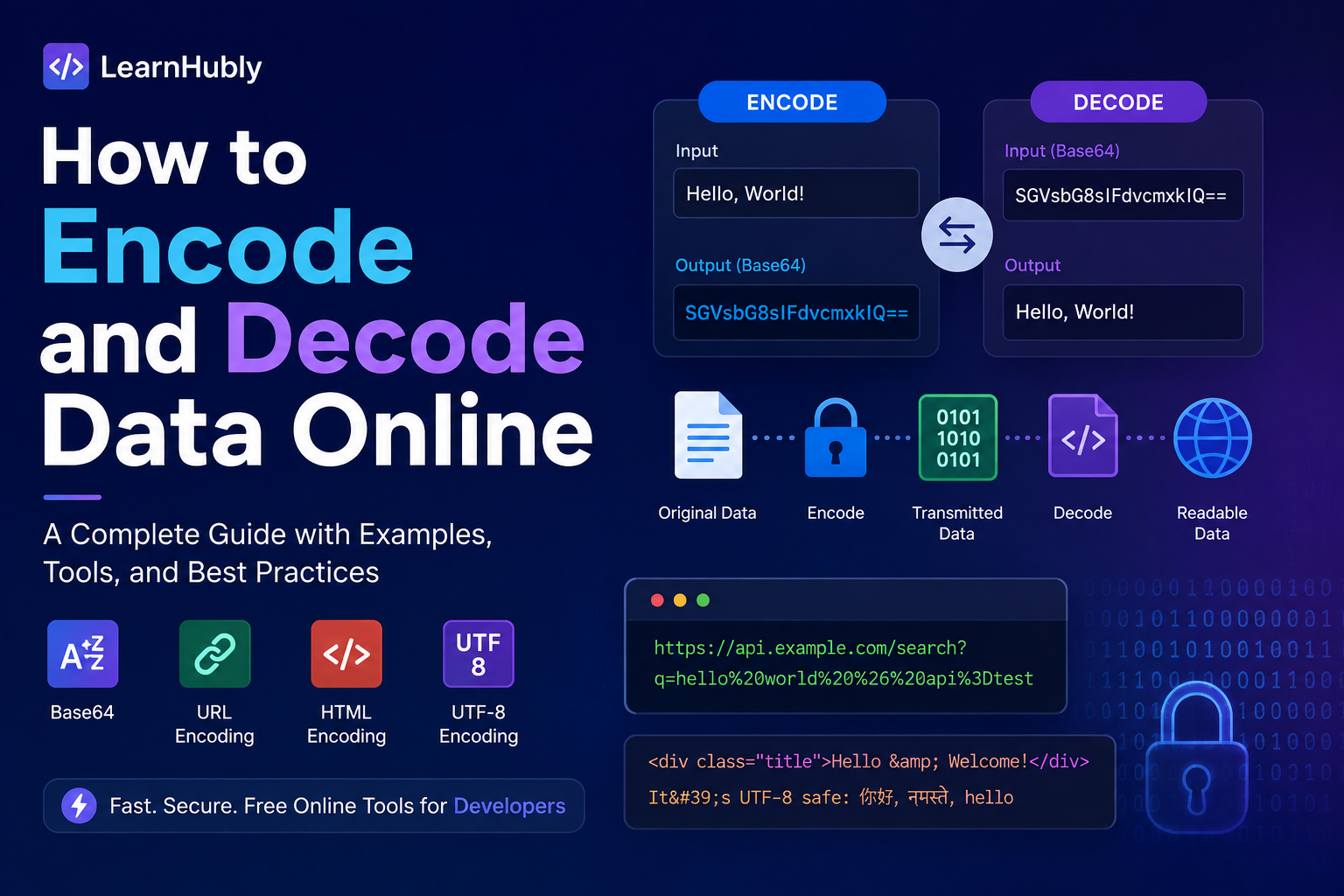
Encoding is one of those things developers think they understand — until they hit a production incident and realise they had a gap. I have debugged encoding problems that took two days to find, caused corrupted payment records, and broke integrations for thousands of users. This article is what I wish I had been given when I was starting out: not a list of definitions, but a practical guide to what encoding actually means in the systems you build every day.
What Is Data Encoding?
Data encoding is the process of transforming data from one representation into another so it can be safely transmitted, stored, or interpreted by a different system. The key word is safely. Different systems have different rules about what characters or bytes they accept. Encoding bridges those gaps.
A few concrete examples of why this is necessary:
- HTTP headers cannot contain binary bytes — so if you want to send an image through a JSON API, you encode the binary image into printable ASCII characters using Base64
- URLs cannot contain spaces or characters like
&,=, or#without confusion — so query parameters are URL-encoded - HTML browsers interpret
<as the start of a tag — so user-generated content is HTML-encoded before rendering to prevent browsers from executing it
Encoding is not compression. It does not make data smaller. It does not protect data. It makes data representable in a format that the destination system can handle correctly. That is its only job — and it is an important one.
Encoding vs Encryption vs Hashing — The Confusion That Causes Real Security Bugs
These three things are frequently confused in code I review, and the confusion causes genuine security vulnerabilities. They are not interchangeable.
🔄 Encoding
Purpose: compatibility and safe transmission. Reversible: yes, by anyone, no key needed. Examples: Base64, URL encoding, HTML encoding. Security value: zero.
🔐 Encryption
Purpose: confidentiality. Reversible: yes, but only with the correct key. Examples: AES-256, RSA, TLS. Security value: high — this is what protects data.
#️⃣ Hashing
Purpose: integrity verification. Reversible: no — one-way function. Examples: bcrypt, SHA-256, Argon2. Security value: high for passwords, integrity checks.
Base64-encoded passwords in databases. I have seen this three times in production systems — most recently in 2024. The developers thought encoding provided some protection. It does not. Any attacker with database access can decode Base64 in under a second. Passwords must be hashed with bcrypt or Argon2. Full stop.
| When someone says... | What they actually want |
|---|---|
| "Store the password securely" | Hash with bcrypt or Argon2 — NOT Base64 encoding |
| "Protect data in transit" | Encryption (TLS/HTTPS) — NOT Base64 encoding |
| "Verify this file wasn't tampered with" | SHA-256 hash comparison — NOT encoding |
| "Send an image through a JSON API" | Base64 encoding — correct use |
| "Put special chars in a URL safely" | URL encoding — correct use |
Base64 Explained — What It Actually Does and When to Use It
Base64 takes binary data and converts it into a string of 64 printable ASCII characters: A–Z, a–z, 0–9, +, and /. The name comes from the 64 characters in the alphabet.
Every 3 bytes of binary data becomes 4 Base64 characters. This means Base64-encoded data is about 33% larger than the original. That is the cost — but the benefit is that the output is a safe, printable string that can travel through any text-based system: JSON, email headers, HTTP headers, XML, configuration files.
Base64 encoding — what happens to the bytes
Original text:  "Hello"
ASCII bytes:    72  101  108  108  111
Binary:         01001000 01100101 01101100 01101100 01101111

Group into 6-bit chunks:
010010  000110  010101  101100  011011  000110  1111xx
  S       G       V       s       b       G       8=

Base64 result: "SGVsbG8="
# The trailing = is padding — makes the length a multiple of 4
The padding character = is added to make the output length a multiple of 4. One = means one byte of padding was needed, two == means two bytes. Some systems — including JWT — strip padding entirely and it causes problems when developers try to decode without accounting for this.
What happened
In 2021 I was working on a document management system for a legal services platform. We had an endpoint that accepted PDF files, converted them to Base64, and stored them in a JSON payload in a PostgreSQL JSONB column. After a deploy, approximately 8% of PDF uploads were failing silently — the upload appeared to succeed but the document was corrupted when downloaded.
What caused it
A new service in the upload pipeline was stripping = padding characters from the Base64 string before storage, assuming they were unnecessary whitespace. The Base64 decoder on the download side was strict — it expected correctly padded Base64 and failed on strings whose length was not a multiple of 4. The failure was silent because the decoder threw an exception that was caught by a blanket catch block and logged at DEBUG level. 8% of documents because that percentage happened to require padding characters — the others decoded fine without them.
How I diagnosed it
I pulled three failed documents from the database and counted the length of their stored Base64 strings. They were not multiples of 4. Then I checked the new service's code and found .trim() being applied to the Base64 string — someone had added it to handle leading/trailing whitespace and it was also stripping the padding. I confirmed by manually adding the missing = characters and successfully decoding the previously corrupted document.
What we changed
We removed the trim from Base64 strings, added a validation step that checks Base64 string length before storage, and changed the catch block to log at ERROR level with the full payload for any decoding failure. We also added a specific test case for documents whose Base64 encoding requires padding.
What I now recommend
Never manipulate Base64 strings with string operations like trim, replace, or strip unless you fully understand what you are removing. Validate Base64 before storage — length must be a multiple of 4 for standard Base64, or a multiple of 4 after adding the appropriate padding for Base64URL. And never swallow decoding exceptions silently.
Test Base64 encoding and decoding instantly in your browser — no library needed. LearnHubly's Base64 Encoder/Decoder handles standard Base64, Base64URL, and shows you the padding clearly. Runs entirely client-side — nothing leaves your browser.
Base64 vs Base64URL — The Distinction That Matters for JWTs
This is the encoding question I get asked most often in the context of API development, and the one that causes the most subtle bugs. Standard Base64 and Base64URL look similar but they are not interchangeable.
| Character | Standard Base64 | Base64URL | Why it matters |
|---|---|---|---|
+ | Used in alphabet | Replaced with - | + means space in URL query strings |
/ | Used in alphabet | Replaced with _ | / is a URL path separator |
= | Padding character | Omitted entirely | = has meaning in URL query strings |
JWT (JSON Web Token) uses Base64URL specifically because JWTs are transmitted in HTTP headers and URLs. If you take a JWT and try to decode its header or payload using a standard Base64 decoder, you will get incorrect results for any token whose encoded bytes happen to contain + or /. Roughly 1 in 3 JWTs will have this issue — enough to cause intermittent failures that are difficult to reproduce.
Base64 vs Base64URL — the character difference in practice
# Standard Base64
Input:   "Man is distinguished"
Base64:  "TWFuIGlzIGRpc3Rpbmd1aXNoZWQ="
         ↑ may contain + and / characters

# Base64URL (JWT-safe)
Base64URL: "TWFuIGlzIGRpc3Rpbmd1aXNoZWQ"
           ↑ no + or /, no trailing =

# Conversion (Java)
// Standard Base64
String encoded = Base64.getEncoder().encodeToString(bytes);

// Base64URL (for JWTs, URLs, HTTP headers)
String urlSafe = Base64.getUrlEncoder().withoutPadding().encodeToString(bytes);

# Conversion (Python)
import base64
encoded = base64.b64encode(data)          # standard
url_safe = base64.urlsafe_b64encode(data) # Base64URLIf the Base64 data will appear in a URL, a URL query parameter, an HTTP header, or a JWT: use Base64URL. If it will be embedded in JSON body, XML, or stored in a database: standard Base64 is fine. When in doubt, Base64URL is the safer choice — it is valid everywhere standard Base64 is valid, but not vice versa.
URL Encoding Explained — Why Your API Parameters Are Breaking
URLs are restricted to a specific set of characters defined in RFC 3986. Characters outside that set — spaces, ampersands, plus signs, equal signs, hash marks, and many others — must be percent-encoded: replaced by a % followed by two hexadecimal digits representing the character's ASCII value.
URL encoding — character reference
Space → %20  (or + in query strings, which causes confusion)
&     → %26
=     → %3D
+     → %2B
#     → %23
/     → %2F
?     → %3F
@     → %40
:     → %3A
,     → %2C

# Example
Original:  "name=Priya Singh&role=admin+developer"
Encoded:   "name=Priya%20Singh&role=admin%2Bdeveloper"

# Note: the & separating parameters is NOT encoded
# Only the values within each parameter are encoded
The double-encoding trap
The most common URL encoding bug I find in real codebases is double-encoding: a value that is already URL-encoded gets encoded again. The space character becomes %20. If you encode %20 again, the % itself gets encoded to %25, producing %2520. The receiving system then decodes once and sees the literal string %20 rather than a space.
Double encoding — how it happens and what it produces
Original value:    "hello world"
First encoding:    "hello%20world"    ← correct
Second encoding:   "hello%2520world"  ← broken — % itself was encoded

# The server receives "hello%2520world"
# Decodes once → "hello%20world"  (still encoded, not a space)
# Decodes twice → "hello world"   (only if you decode manually twice)

# Most frameworks decode once automatically
# So the application sees "hello%20world" as the parameter value
# instead of "hello world" — and everything downstream is wrong
This usually happens when a framework encodes query parameters automatically AND the developer also encodes manually, or when encoded data is stored and then re-encoded before being sent onward. The fix is to encode once, at the boundary where data leaves your system — not at multiple layers.
HTML Encoding and Escaping — The XSS Prevention You Cannot Skip
HTML encoding replaces characters that have special meaning in HTML with their entity equivalents, so browsers render them as literal characters rather than interpreting them as markup.
HTML entity encoding — the five essential characters
&  → &
<  → <
>  → >
"  → "
'  → '   (or ' in HTML5)

# Example
User input:
HTML encoded: <script>alert('XSS')</script>

# In the browser:
# Encoded: displays literally as   <script>alert('XSS')</script>
# Unencoded: executes the script — XSS vulnerability
HTML encoding is not optional when rendering user-generated content. Any string that originated outside your system — user input, API response, database record entered by a user — must be HTML-encoded before being inserted into an HTML template. Modern frameworks (React, Vue, Angular, Thymeleaf) do this automatically. The danger zone is raw string concatenation in HTML, or using innerHTML and equivalents in JavaScript.
element.innerHTML = userInput — even if the input looks safe. An attacker controlling the input controls what runs in the browser. Use element.textContent for text, or use your framework's safe binding syntax. HTML encoding is the primary defence against Cross-Site Scripting (XSS).
UTF-8 and Unicode — Why Your International Users See Garbled Text
Unicode is the standard that assigns a unique number (code point) to every character in every language on earth — over 140,000 characters covering 150+ scripts, emoji, mathematical symbols, and more. UTF-8 is the encoding that represents those code points as bytes for storage and transmission.
UTF-8 uses 1 to 4 bytes per character:
- ASCII characters (A–Z, 0–9, basic punctuation) — 1 byte each
- Latin extended characters (accented letters, ñ, ü, ø) — 2 bytes each
- Most Asian scripts, Arabic, Hebrew — 3 bytes each
- Emoji, rare characters, historical scripts — 4 bytes each
UTF-8 encoding examples
Character    Code Point   UTF-8 Bytes (hex)
'A'          U+0041       41
'é'          U+00E9       C3 A9
'中'          U+4E2D       E4 B8 AD
'🔐'         U+1F510      F0 9F 94 90

# When UTF-8 is not declared or not used consistently:
Stored as:   "Caf\xc3\xa9"  (UTF-8 bytes for "Café")
Read as:     "Café"         (if reader interprets as Latin-1)
              ↑ mojibake — garbled text from charset mismatch
The UTF-8 consistency rule
UTF-8 must be declared and used consistently across every layer: the database character set and collation, the HTTP Content-Type header, the HTML meta charset tag, and the source code file encoding. One layer using a different charset — Latin-1, Windows-1252, or UTF-16 — causes garbled characters (mojibake) for non-ASCII input.
Spring Boot · enforce UTF-8 consistently
# application.properties
spring.datasource.url=jdbc:mysql://localhost:3306/mydb?useUnicode=true&characterEncoding=UTF-8
spring.jpa.properties.hibernate.connection.characterEncoding=UTF-8

# Response encoding filter
server.servlet.encoding.charset=UTF-8
server.servlet.encoding.enabled=true
server.servlet.encoding.force=true
Encoding in APIs, JWTs, and JSON — Where It Actually Shows Up in Your Code
JWT structure and encoding
A JWT is three Base64URL-encoded sections joined by dots. Understanding this structure is essential for debugging authentication problems — which make up a significant fraction of API support tickets I have seen.
Decoding a JWT manually — what each section contains
# Take the header section: eyJhbGciOiJSUzI1NiIsInR5cCI6IkpXVCJ9
# Decode with Base64URL (add padding if needed, use URL-safe alphabet)
# Result:
{
  "alg": "RS256",
  "typ": "JWT"
}

# Payload: eyJzdWIiOiIxMjM0NTY3ODkwIiwibmFtZSI6IlByaXlhIFNpbmdoIn0
# Decode →
{
  "sub": "1234567890",
  "name": "Priya Singh",
  "iat": 1716239022
}

# IMPORTANT: the payload is encoded, not encrypted.
# Anyone can read it by decoding Base64URL.
# This is why you must never put passwords or private keys in JWT payloads.What happened
In 2023, a payment microservice I was responsible for started returning 401 Unauthorized for approximately 1 in 50 requests from a specific mobile client. The tokens were valid — the same token would succeed on a retry. We initially suspected token expiry or clock skew.
What caused it
The mobile client was using a JWT library that generated tokens with standard Base64 encoding (using + and /) instead of Base64URL (using - and _). When a token's random bytes happened to produce a + or / in the encoded output — roughly 1 in 50 tokens — the server's JWT decoder received a malformed token because the HTTP header transmission had corrupted those characters. The intermittent nature made it nearly impossible to reproduce in testing.
How I diagnosed it
I captured the failing requests and decoded the Authorization header values manually. The failing tokens contained + characters in the encoded payload section. I then looked at the mobile library version and found it was using the standard Base64 encoder rather than the URL-safe variant. I confirmed by generating 200 tokens from the library and checking which ones failed — exactly those containing + or /.
What we changed
The mobile team updated their JWT library configuration to use Base64URL encoding. We added a validation step on the server side that checks for standard Base64 characters in JWT sections and returns a helpful error message rather than a generic 401. We also added a specific test that generates tokens until it produces one with + or / and verifies it decodes correctly.
What I now recommend
Always verify which Base64 variant your JWT library uses. Test specifically with payloads that produce + and / in standard Base64. Never use a standard Base64 decoder to decode JWT sections — use a Base64URL decoder. And make error messages specific: "invalid Base64URL encoding in JWT header" is ten times more useful than "401 Unauthorized".
Encoding binary data in JSON APIs
Java · Spring Boot · encoding a file upload for JSON API
// Receiving a file and embedding in JSON response
@PostMapping("/documents")
public ResponseEntity<DocumentResponse> uploadDocument(
        @RequestParam MultipartFile file) throws IOException {

    byte[] fileBytes = file.getBytes();
    // Use standard Base64 for JSON body — not URL-safe needed here
    String base64Content = Base64.getEncoder().encodeToString(fileBytes);

    return ResponseEntity.ok(new DocumentResponse(
        file.getOriginalFilename(),
        file.getContentType(),
        base64Content     // embedded as Base64 string in JSON
    ));
}

// Decoding on the receiving side
byte[] decoded = Base64.getDecoder().decode(base64Content);
// ⚠ Validate before decoding:
// - Check the string only contains valid Base64 chars
// - Check length is multiple of 4
// - Catch IllegalArgumentException from the decoder
Real-World Developer Examples — Encoding Patterns You Will Actually Use
Sending an HTTP Basic Auth header
HTTP Basic Auth — Base64 encoding the credentials
# Username: priya@example.com
# Password: securePassword123

# Concatenate with colon:   priya@example.com:securePassword123
# Base64 encode:            cHJpeWFAZXhhbXBsZS5jb206c2VjdXJlUGFzc3dvcmQxMjM=

# HTTP header
Authorization: Basic cHJpeWFAZXhhbXBsZS5jb206c2VjdXJlUGFzc3dvcmQxMjM=

# Note: this is NOT secure without HTTPS — anyone can decode it.
# Basic Auth over HTTP is plaintext credentials. Always use HTTPS.
URL-encoding a search API call
URL encoding — building a search query safely
# User searches for: Spring Boot "application.properties" security

# Unsafe URL (breaks at the server):
GET /api/search?q=Spring Boot "application.properties" security

# Correctly URL-encoded:
GET /api/search?q=Spring%20Boot%20%22application.properties%22%20security

# Java
String query = "Spring Boot \"application.properties\" security";
String encoded = URLEncoder.encode(query, StandardCharsets.UTF_8);
// → Spring+Boot+%22application.properties%22+security
// Note: URLEncoder uses + for spaces (form encoding), not %20

# For path parameters, use UriComponentsBuilder
UriComponentsBuilder.fromHttpUrl("https://api.example.com/search")
    .queryParam("q", query)  // Spring handles encoding automatically
    .toUriString();
Encoding email content for MIME
Base64 in email — MIME encoded-word syntax
# Email subject with non-ASCII characters must be encoded
# "Bienvenue à LearnHubly" (French accent in "à")

Subject: =?UTF-8?B?QmllbnZlbnVlIMOgIExlYXJuSHVibHk=?=
         ↑ charset  ↑ encoding type (B=Base64, Q=Quoted-Printable)

# The email client decodes this automatically and displays:
# "Bienvenue à LearnHubly"
Common Encoding Mistakes — The Ones That Actually Make It to Production
- Using standard Base64 where Base64URL is required. The
+and/characters break in URLs and HTTP headers. Always use Base64URL for JWTs, URL parameters, and HTTP headers. - Double-encoding. Encoding an already-encoded string. Symptom: literal
%2520appearing in received values instead of a space. Fix: encode once, at the system boundary. - Stripping Base64 padding. Removing
=characters without ensuring the decoder handles unpadded input. Some decoders are strict about padding length. - Confusing Base64 with security. Storing tokens, passwords, or secret keys as Base64 and calling it "obfuscated". It is not. Anyone who can see the string can decode it in 1 second.
- Not specifying charset on HTTP responses. Returning
Content-Type: application/jsonwithout; charset=UTF-8causes clients to guess the encoding, which can lead to incorrect character interpretation for non-ASCII content. - Using URL encoding on HTML content. URL encoding and HTML encoding are different formats for different contexts. Applying URL encoding to HTML content produces visible
%20strings in the browser instead of spaces. - Not handling encoding errors gracefully. Catching all exceptions from Base64 decoders silently. A corrupt or incorrectly encoded input should produce a clear error, not silent data corruption.
Troubleshooting Encoding Problems — A Diagnostic Approach
Encoding bugs are insidious because they often appear far from their source. Here is the systematic approach I use when something smells like an encoding problem:
Step 1 — Identify the symptom precisely
- Garbled characters (’ instead of ', é instead of é) → UTF-8 charset mismatch
- Literal
%20or%2520in received values → double URL encoding - Base64 decoding error or incorrect output → wrong variant (standard vs URL-safe) or stripped padding
- JWT validation failure for some tokens but not others → Base64URL vs Base64 character set issue
- HTML tags rendered as literal text → content was HTML-encoded when it should not be
- XSS or raw HTML rendered unexpectedly → content was NOT HTML-encoded when it should be
Step 2 — Find the encoding boundary
Where is the data encoded? Where is it decoded? Log the raw value at each boundary. If you cannot log it (sensitive data), add a temporary hash comparison to verify the value is changing unexpectedly between layers.
Step 3 — Decode manually and compare
Shell · manual encoding inspection at the command line
# Decode a suspicious Base64 string
echo "SGVsbG8gV29ybGQh" | base64 -d
# → Hello World!

# Check if a string is valid Base64 (length must be multiple of 4)
echo -n "SGVsbG8=" | wc -c   # should be divisible by 4

# URL decode a query parameter
python3 -c "from urllib.parse import unquote; print(unquote('hello%2520world'))"
# → hello%20world  (still encoded → confirms double-encoding)

# Check what charset a response is declaring
curl -I https://api.example.com/endpoint | grep -i content-type
# Content-Type: application/json; charset=UTF-8  ← correct
# Content-Type: application/json                 ← no charset declared
Step 4 — Verify at each layer in isolation
Test the encoding in isolation — not as part of the full request. Paste the Base64 string into a decoder. Test the URL encoding with a standalone URL parse. This isolates whether the problem is in how data was encoded or how it was decoded.
How to Choose the Right Encoding
| Scenario | Use this encoding | Notes |
|---|---|---|
| Binary file in a JSON API payload | Standard Base64 | JSON body — no URL characters needed |
| JWT header and payload | Base64URL (no padding) | Transmitted in HTTP headers and URLs |
| URL query parameter value | URL encoding (percent-encoding) | Encode only the value, not the = or & |
| URL path segment | URL encoding (percent-encoding) | / character in values must be encoded |
| User-generated HTML content | HTML entity encoding | Prevent XSS — encode < > & " ' |
| Email subject with non-ASCII | Base64 or Quoted-Printable in MIME | Depends on email library used |
| HTTP Basic Auth credentials | Standard Base64 | base64(username:password) in header |
| Data with emoji or non-Latin chars | UTF-8 | Declare charset in all layers |
| Image thumbnail in localStorage | Standard Base64 data URL | data:image/png;base64,... |
| Token in URL for password reset link | Base64URL or hex encoding | Standard Base64 breaks in URL context |
Online Encoding Tools — What to Use and When
Browser-based encoding tools are the fastest way to verify encoding during debugging. There is no library to install, no code to write, and nothing leaves your machine if the tool is client-side.
Standard Base64, Base64URL, with padding display. Handles file input for binary data.
Open Tool →Decode and inspect JWT header, payload, and signature — see claims and expiry instantly.
Open Tool →Percent-encode and decode URLs and query parameters. Helpful for debugging double-encoding.
Open Tool →Fire API requests with custom headers and inspect raw responses — essential for header encoding debugging.
Open Tool →Use browser tools during debugging and investigation — they give you instant visual feedback with no setup. Use well-tested library functions in production code — never write your own Base64 encoder. Libraries handle edge cases (padding, character sets, streaming) that manual implementations miss. The tools are for understanding what should be happening; the libraries are for making it happen reliably.
Developer Command-Line Examples
These are the commands I actually use during development and incident debugging — not textbook examples.
Shell · Base64 encoding and decoding
# Encode a string
echo -n "Hello World" | base64
# → SGVsbG8gV29ybGQ=
# -n prevents echo from adding a newline (which would change the Base64)

# Decode
echo "SGVsbG8gV29ybGQ=" | base64 -d
# → Hello World

# Encode a file (PDF, image, etc.)
base64 < document.pdf > document.b64

# Decode back to file
base64 -d < document.b64 > document_decoded.pdf

# Base64URL encoding (replace + with -, / with _, strip =)
echo -n "Hello World" | base64 | tr '+/' '-_' | tr -d '='
# → SGVsbG8gV29ybGQ
Shell · URL encoding and decoding
# URL encode a string (Python — most reliable cross-platform)
python3 -c "from urllib.parse import quote; print(quote('Hello World & Priya=Singh'))"
# → Hello%20World%20%26%20Priya%3DSingh
# URL decode
python3 -c "from urllib.parse import unquote; print(unquote('Hello%20World%20%26%20Priya%3DSingh'))"
# → Hello World & Priya=Singh
# Check for double-encoding (look for %25 in the value)
python3 -c "from urllib.parse import unquote; print(unquote('hello%2520world'))"
# → hello%20world (still encoded → double-encoded confirmed)Shell · JWT inspection without a library
# Extract and decode JWT payload (the middle section)
JWT="eyJhbGciOiJSUzI1NiIsInR5cCI6IkpXVCJ9.eyJzdWIiOiIxMjM0IiwibmFtZSI6IlByaXlhIn0.SflKxw"
PAYLOAD=$(echo $JWT | cut -d '.' -f2)
# Add padding if needed (Base64URL has no =)
PADDED="${PAYLOAD}$(printf '%0.s=' $(seq 1 $((4 - ${#PAYLOAD} % 4 % 4))))"
echo $PADDED | tr -- '-_' '+/' | base64 -d | python3 -m json.tool
# → {
# "sub": "1234",
# "name": "Priya"
# }Java · encoding utilities in production code
import java.util.Base64;
import java.net.URLEncoder;
import java.nio.charset.StandardCharsets;
import org.apache.commons.text.StringEscapeUtils;
// Base64 — standard (for JSON payloads, file data)
String encoded = Base64.getEncoder().encodeToString(bytes);
byte[] decoded = Base64.getDecoder().decode(encodedString);
// Base64URL — for JWTs, URL parameters, HTTP headers
String urlSafe = Base64.getUrlEncoder().withoutPadding().encodeToString(bytes);
byte[] decoded = Base64.getUrlDecoder().decode(urlSafeString);
// URL encoding — for query parameters
String paramValue = URLEncoder.encode(rawValue, StandardCharsets.UTF_8);
// HTML encoding — for user content in templates
// Use Apache Commons Text, NOT manual string replacement
String safe = StringEscapeUtils.escapeHtml4(userInput);
// → properly handles all edge cases, not just < > & " 'Frequently Asked Questions
Encoding transforms data into a different format for compatibility — it has no key and is reversible by anyone. Encryption transforms data to hide its meaning, requiring a key to reverse. Base64 encoding a password provides zero security. Anyone can decode it in seconds. For passwords: use bcrypt or Argon2 hashing. For confidential data in transit: use TLS/HTTPS encryption. Encoding is for compatibility, not confidentiality.
Standard Base64 uses +, /, and = — all of which have special meaning in URLs and HTTP headers. Base64URL replaces + with -, / with _, and omits the = padding. JWT tokens use Base64URL specifically because they travel in HTTP headers and URLs. Using a standard Base64 decoder on a JWT will produce incorrect results for tokens whose encoded bytes produce + or / — roughly 1 in 50 tokens in practice.
Double encoding happens when an already-encoded value gets encoded again. A space becomes %20. Encoding %20 again produces %2520. The receiving system decodes once and sees %20 as the literal value rather than a space. This usually occurs when frameworks encode automatically AND developers also encode manually. Fix: encode once, at the boundary where data leaves your system. Never encode data that is already encoded.
No. Base64 is trivially reversible without any key. It adds zero security. Passwords, secrets, or private keys in Base64 are effectively plaintext to anyone who can see the string. For passwords: hash with bcrypt, Argon2, or scrypt. For sensitive data in transit: use TLS. For data at rest that needs confidentiality: use AES-256 encryption. Base64 is for binary-to-text compatibility, not protection.
UTF-8 covers every Unicode character — every language, emoji, and mathematical symbol. If your system does not declare and use UTF-8 consistently at every layer (database, HTTP headers, HTML, source files), characters outside basic ASCII will be stored or displayed incorrectly. Arabic, Chinese, Japanese, Hebrew, accented European characters, and emoji all depend on correct UTF-8 handling. The symptom is garbled characters (mojibake) like ’ appearing where ' should be.
React, Vue, and Angular automatically HTML-encode content inserted via their template syntax ({} in React, {{ }} in Vue). This makes them safe by default for standard text interpolation. The danger zone is explicitly bypassing this protection: dangerouslySetInnerHTML in React, v-html in Vue, [innerHTML] in Angular. These inject raw HTML — if the content comes from user input or an API, you must HTML-encode it manually before using these directives.
Encoding Best Practices Checklist
- Use Base64URL for JWTs — not standard Base64. Verify your JWT library uses the URL-safe alphabet. APIs / JWTs
- Encode once at the system boundary — never re-encode already-encoded data. Document which layer is responsible. All encoding
- Never manipulate Base64 strings with trim or strip — padding characters matter. Validate length is a multiple of 4. Base64
- Never store passwords or secrets as Base64 — use bcrypt/Argon2 for passwords, encryption for secrets. Security
- HTML-encode all user-generated content before rendering — use a library, not manual string replacement. XSS prevention
- Declare UTF-8 charset in database, HTTP headers, HTML, and source files — consistency across all layers. UTF-8
- Catch decoding exceptions explicitly — never swallow them silently. Log with the raw input value (if not sensitive). Error handling
- Use
URLEncoder.encode(..., StandardCharsets.UTF_8)not the default charset — default charset varies by JVM. Java / URL - Test Base64 with inputs that produce
+,/, and=— these reveal Base64 vs Base64URL bugs. Testing - Use
Content-Type: application/json; charset=UTF-8— not justapplication/json. HTTP headers - Verify encoding end-to-end in integration tests — unit tests that mock encoding do not catch library configuration issues. Testing
- Never put sensitive data in JWT payloads — the payload is Base64URL-encoded, not encrypted. Anyone can read it. JWTs
Encoding Is a First-Class Concern, Not an Afterthought
The two incidents I described in this article — the PDF padding bug and the JWT Base64URL failure — cost my teams several days of debugging time combined. Both were caused by encoding decisions that seemed like minor implementation details and turned out to be load-bearing assumptions in the system's correctness.
Encoding problems are particularly dangerous because they tend to be intermittent, hard to reproduce, and far from their root cause. The symptom appears in the decoder; the bug was in the encoder. The symptom appears for 1 in 50 users; the bug triggers only when specific byte patterns occur. The symptom appears months after the code was deployed; the bug was always there, waiting for the right input.
The defence is understanding: know which encoding each part of your system uses, make it explicit in code and configuration, encode once at boundaries, and never mistake encoding for security. — Priya
Try the Tools Mentioned in This Article
Base64 encoder, URL encoder, JWT decoder — all browser-based, nothing leaves your machine.