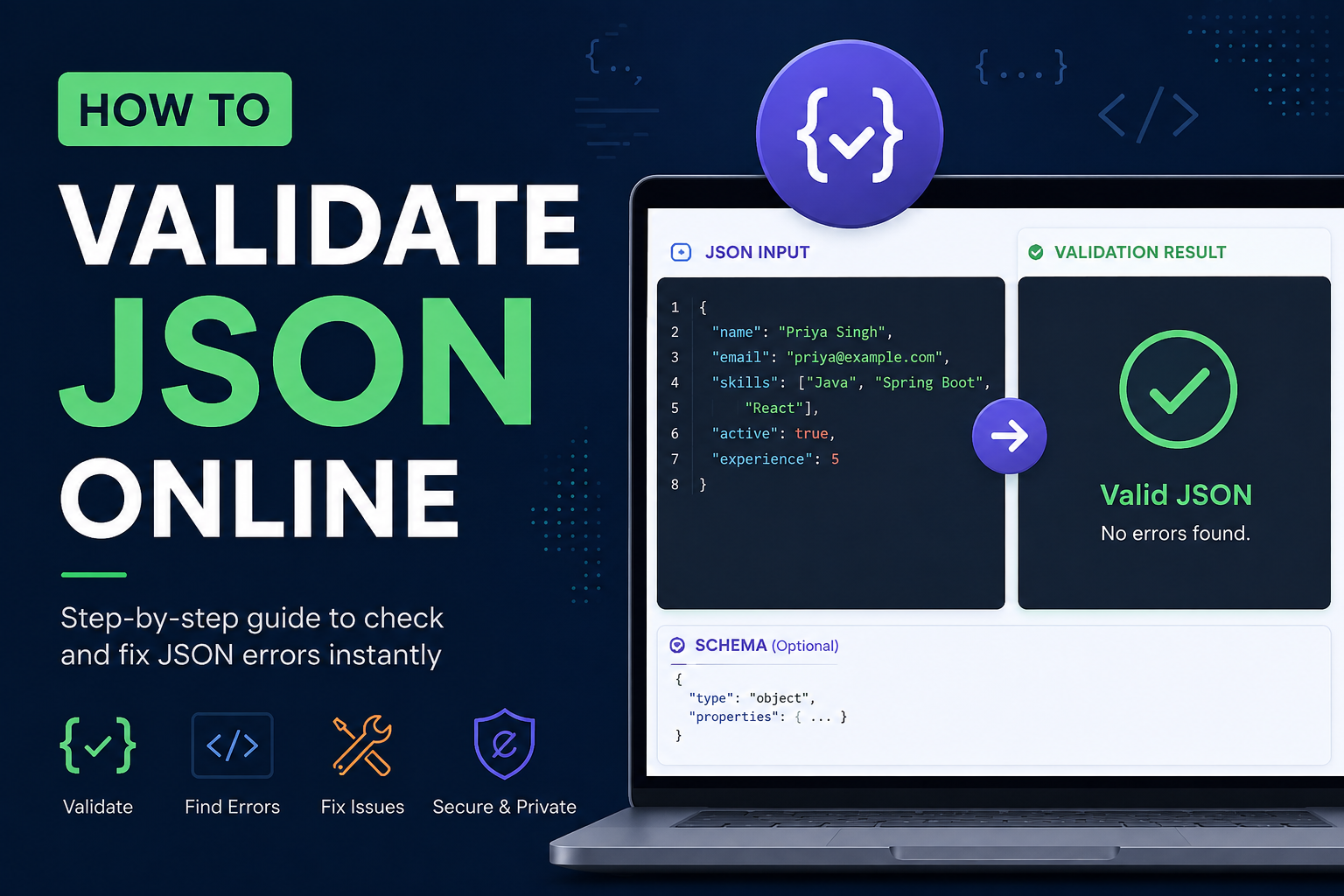
Honestly, the first time I really understood JSON validation — not syntax checking, but real validation — was when a logistics integration I'd built started silently dropping about 3% of shipment records. No errors in the logs. No alerts. Just data quietly disappearing into nowhere. Took two days to trace it back to a third-party API that had changed a field type from string to integer without any change notice. The JSON was perfectly valid. The parser was happy. My code was not.
That experience taught me something I wish someone had told me earlier: there are two completely different things people mean when they say "validate JSON," and mixing them up is a slow, frustrating way to debug production issues.
Syntax Validation vs Schema Validation — They're Not the Same Thing
Syntax validation is asking the parser: can you even read this? Correct quotes, no trailing commas, brackets that actually close. If syntax validation fails, nothing downstream can process the document at all. It is the most basic check.
Schema validation is a different question entirely — it asks whether the content is right for your application. A JSON document can be syntactically perfect and still completely wrong. The amount field might come back as a string when your code expects a number. A required field might be missing. An array might contain a single object when you're calling .map() on it. Syntax validation won't catch any of that.
For API work — which is most of what I do — you genuinely need both. A malformed request body gets rejected before your controller even runs. But a body with the wrong types might get processed partially, insert garbage into your database, and surface as a mysterious failure three layers deeper in the stack.
For quick syntax checks and formatting, the LearnHubly JSON Formatter handles both in the browser. It runs entirely client-side — nothing gets sent anywhere — so it's fine for sensitive payloads too.
Reading Parser Errors Without Wanting to Throw Your Laptop
Parser error messages were written for other parsers, not for humans. "Unexpected token ' in JSON at position 8" — okay, great, position 8 of what? Of a 4000-character minified string? Not especially helpful.
The most common one I see is the trailing comma error. It looks like this:
What the error message says vs what actually broke
SyntaxError: Unexpected token } in JSON at position 47

// What your JSON looks like:
{ "name": "Priya", "role": "engineer", }
//                                     ↑ trailing comma

// The parser sees the comma, expects another value,
// then finds } instead — and blames the closing brace.
// The actual problem is the comma before it.
Single quotes are the second most common culprit, especially when someone copies JSON from a JavaScript object literal or a Python dict. JSON is strict — keys and string values must use double quotes, full stop. And unquoted keys, which are perfectly fine in JavaScript, will always break a JSON parser.
The three most common syntax mistakes
// Single quotes — not valid JSON
{ 'name': 'Priya' }

// Unquoted keys — JavaScript objects, not JSON
{ name: "Priya" }

// Invalid escape in a file path
{ "path": "C:\Program Files\app" }
// \P and \a are not valid JSON escape sequences
// Should be: "C:\\Program Files\\app"
When the error position is unhelpful — and it usually is for anything longer than a few lines — paste the JSON into a formatter first. Once it's pretty-printed with line numbers, finding the problem usually takes about ten seconds rather than ten minutes.
Python's json module is actually decent at this. json.JSONDecodeError gives you lineno and colno directly on the exception object, which means you can write useful error messages without parsing the message string yourself. JavaScript's SyntaxError gives you a character offset and you're mostly on your own.
What "Unexpected End of JSON Input" Actually Means
This one always panics people because it sounds catastrophic. It usually isn't. The parser reached the end of the string before the document was complete — most often because a closing bracket or brace is missing somewhere. Deep nesting makes this invisible to the naked eye, which is another reason a formatter with matched-bracket highlighting is worth using.
It also shows up when an API response gets truncated mid-transmission — the server started writing the response, something timed out or crashed, and the client received half a JSON object. When I see this from an API call, my first instinct is to check server-side logs for crashes or timeouts around that timestamp, not to dig into the JSON itself.
API Response Validation — The Part Most Teams Skip
Developers validate request bodies before sending them. Almost nobody validates the responses they get back. And that's where a surprising number of bugs actually come from — APIs that change shape without notice, fields that go null when they never used to, arrays that return as objects under certain conditions.
The logistics incident, in full. In 2022 I was maintaining a data pipeline that ingested JSON from a third-party shipping provider. Their JSON was always syntactically valid — their system wouldn't generate malformed output. One day, about 3% of shipment records started failing validation downstream and being silently dropped. No error to alert on. Just missing data.
The cause was a field called weight that had changed from a string like "2.4" to a float like 2.4 without any API changelog update. Our code was doing Float.parseFloat(weight) — which works fine on a string, but the field was already a float, and the deserialization was producing a type mismatch that quietly discarded the record instead of throwing.
What I changed: added JSON Schema validation on every incoming response from that provider, checked in CI, with alerting when the response shape deviated. We caught their next undocumented change within an hour of it going live. Previously it would have taken days.
Validating API responses in JavaScript is easiest with Zod right now — you define the expected shape, parse the response through it, and get a TypeScript-typed object or a clear error. In Java, the networknt json-schema-validator library is what I use with Spring Boot. Both approaches are worth the setup time.
JavaScript · schema validation on an API response with Zod
import { z } from 'zod';

const ShipmentSchema = z.object({
  id:       z.string(),
  weight:   z.number(),        // now enforced — string would throw here
  status:   z.enum(["pending", "in_transit", "delivered"]),
  address:  z.object({
    city:   z.string(),
    country: z.string().length(2)
  })
});

const raw = await fetch('/api/shipments/42').then(r => r.json());

// This throws with a clear message if the shape is wrong
const shipment = ShipmentSchema.parse(raw);
// From here, TypeScript knows exactly what shipment is
JSON vs JSONC vs JSON5 — Your Config File Probably Isn't JSON
Something I see confuse developers regularly: they paste their tsconfig.json into a JSON validator, it fails, and they assume something is wrong with the file. The file is usually fine. It just isn't JSON — it's JSONC, which allows // comments. TypeScript, VS Code settings, and a lot of editor configs use JSONC. A standard JSON parser will reject comments every time.
JSON5 goes further — single quotes, trailing commas, unquoted keys, multiline strings. Some build tooling and config systems use it. The key thing is knowing which format your file is actually in before you reach for a validator. Validating a JSONC file with a strict JSON validator will always fail, and the failure tells you nothing about the file's actual correctness.
Validation in Your Language — Java, Python, Node
In Java the main choice is between Jackson for parsing and networknt for schema validation. Jackson's JsonParseException gives you getLocation().getLineNr() and getColumnNr() — actually useful for logging. The networknt library handles JSON Schema draft 2020-12 and returns a set of ValidationMessage objects, each with a path and a description of what failed.
Java · parsing with useful error location
ObjectMapper mapper = new ObjectMapper();
try {
    JsonNode node = mapper.readTree(jsonString);
    // valid — proceed
} catch (JsonParseException e) {
    log.error("JSON parse error at line {}, col {}: {}",
        e.getLocation().getLineNr(),
        e.getLocation().getColumnNr(),
        e.getOriginalMessage());
}
Python · schema validation with jsonschema
import json, jsonschema
schema = {
"type": "object",
"required": ["id", "weight", "status"],
"properties": {
"id": { "type": "string" },
"weight": { "type": "number" },
"status": { "type": "string" }
},
"additionalProperties": False # rejects unexpected fields
}
data = json.loads(raw_string)
try:
jsonschema.validate(instance=data, schema=schema)
except jsonschema.ValidationError as e:
# e.path — which field failed (as a deque of keys)
# e.message — what went wrong
print(f"Invalid at {list(e.path)}: {e.message}")In Node the standard choice is Ajv. Set allErrors: true — otherwise validation stops at the first error and you only find out about one problem at a time, which gets annoying fast when you're debugging a payload with multiple issues.
From the Terminal — jq and Friends
When I'm debugging an integration from the terminal, jq . file.json is the fastest syntax check I know. Exit code 0 means valid, non-zero means the error message tells you where to look. It's also how I validate API responses inline without leaving the shell:
Shell · validate and inspect in one line
# Validate syntax and format in one go
jq . response.json

# Check a live API response
curl -s https://api.example.com/users/42 \
  -H "Authorization: Bearer $TOKEN" | jq .

# Validate every JSON file in a directory
for f in configs/*.json; do
  jq . "$f" > /dev/null \
    && echo "✓ $f" \
    || echo "✗ INVALID: $f"
done
For schema validation from the command line, ajv-cli is the one I reach for. npx ajv validate -s schema.json -d data.json. It's verbose enough when things fail that you can actually understand what went wrong, which not all CLI schema validators manage.
Putting Validation in CI — So You Never Catch It in Production
The best time to find a broken JSON file is on the pull request, not when a deployment reads a config file and crashes. A simple GitHub Actions step that runs jq . \$f on every JSON file in the repo has caught embarrassing things on my teams — a trailing comma in a Kubernetes config, a missing quote in an environment file. Ten seconds to add, saves an awkward incident report.
GitHub Actions · validate all JSON files on every PR
name: Validate JSON
on: [pull_request]
jobs:
  validate:
    runs-on: ubuntu-latest
    steps:
      - uses: actions/checkout@v4
      - name: Check all JSON files
        run: |
          find . -name "*.json" \
            -not -path "*/node_modules/*" | while read f; do
              jq . "$f" > /dev/null \
                && echo "✓ $f" \
                || (echo "✗ $f" && exit 1)
          done
      - name: Schema validate API payloads
        run: |
          npx ajv validate -s schemas/payment.json \
                           -d examples/payment.json
Large JSON — When Loading Everything Breaks
For most day-to-day work, loading the entire JSON document into memory is fine. When you're dealing with data exports or bulk API responses that are hundreds of megabytes though, that approach will eventually crash on you — usually at 2am in production rather than during testing.
Streaming parsers read the document incrementally. Python's ijson library is what I use for this. You get items from a large array one at a time, validate and process each one, and memory stays roughly flat regardless of file size. The other benefit: when something is invalid, you know exactly which item number failed, not just that the file somewhere has a problem.
Python · streaming validation with ijson for large files
import ijson, jsonschema

with open('large-export.json', 'rb') as f:
    for i, item in enumerate(ijson.items(f, 'results.item')):
        try:
            jsonschema.validate(instance=item, schema=item_schema)
        except jsonschema.ValidationError as e:
            print(f"Item {i} invalid: {e.message}")
        # process item here — memory stays flat
The Security Part Nobody Mentions
Two things worth knowing that most JSON validation articles skip over entirely.
First: if your application accepts JSON and parses it into an object without strict schema validation, extra fields in the payload can cause real problems. An API that deserializes a user update request without rejecting unknown fields might accept "admin": true in the body and — depending on how your ORM or document store works — quietly persist it. Setting additionalProperties: false in your schema is the fix, and it's a one-line addition.
Second: online JSON validators. The question to ask before pasting anything is whether the tool processes JSON in the browser or sends it to a server. Client-side tools are fine for sensitive data — nothing leaves your machine. Server-side tools are not appropriate for production credentials, user data, API keys, or anything you'd be uncomfortable with a third party storing. When I'm working with sensitive payloads I use jq in the terminal, full stop.
Don't paste real user data, active JWT tokens, database connection strings, or API keys into online tools unless you've verified they're client-side. The few seconds it takes to open a terminal and run jq is genuinely worth it.
How I Actually Use the JSON Formatter Day to Day
Quick version: when a frontend developer messages me "the API response looks weird," I paste it into the LearnHubly JSON Formatter first. The colour-coded tree view makes null values and type mismatches immediately visible in a way that staring at raw JSON just doesn't. It takes five seconds and it's usually enough to identify the problem.
For debugging API calls from the terminal I use curl ... | jq .. If jq throws an error the problem is upstream — the API is returning something that isn't JSON. If jq succeeds, the JSON is syntactically fine and the problem is somewhere in how the client handles the response.
Configuration files get validated automatically via a pre-commit hook that runs jq . \$file > /dev/null. Takes milliseconds. Has saved me from committing a trailing-comma config file more times than I'd like to admit.
For debugging API responses alongside formatting, pair the JSON Formatter with the REST API Tester — fire the request, see the raw response, paste into the formatter. Faster than switching between Postman and a browser tab.
A Quick Validation Checklist Before You Ship
Syntax-validate config files in CI — a broken JSON config that reaches production is a bad day
Schema-validate request bodies at the API boundary — before your business logic runs, not after
Validate API responses too, not just the requests you send — third-party APIs change shape without warning
Set additionalProperties: false in schemas — reject unknown fields explicitly, don't rely on your code ignoring them
Use streaming parsers for anything over ~50MB — loading it all into memory will eventually hurt you
Know whether your "JSON" file is actually JSONC before running it through a strict JSON validator
Use local CLI tools for sensitive data — jq is faster than an online tool anyway
FAQs
Syntax validation checks whether the JSON is well-formed enough to parse — correct quotes, no trailing commas, balanced brackets. Schema validation checks whether the content is correct for your application — required fields present, types matching, values within constraints. You need both for API work. Syntax validation is what a parser does automatically; schema validation is what you add on top to enforce a contract.
The parser found a character it didn't expect at that position. Usually single quotes, an unquoted key, a trailing comma after the last item, or a JavaScript comment. The position number tells you where to look — paste the JSON into a formatter first so you're reading line numbers, not counting characters through a minified string.
Use jq for syntax validation of JSON files and ajv-cli for JSON Schema validation. Add them as steps before any deployment. A simple pattern: find all .json files and pipe each through jq — exit code 0 means valid, non-zero fails the build. This catches broken configuration files and API contract changes before they reach any environment.
Only if the tool is client-side — processing happens in your browser, nothing is transmitted. The LearnHubly JSON Formatter is client-side. Server-side tools are not appropriate for PII, credentials, or API keys. When in doubt, use jq in the terminal — it gives you the same syntax validation and nothing leaves your machine.
Validation Is a Habit, Not a Feature
The logistics incident I mentioned at the start cost two days of debugging and some genuine data loss that we had to reconcile manually. The schema validation we added after it would have caught the problem within an hour. That's the actual value here — not the tool, not the technique, but the habit of treating JSON contracts as something you enforce rather than something you assume.
Start wherever makes sense for your current project. Maybe it's adding a JSON Schema for one API endpoint. Maybe it's a jq check in your pre-commit hook. Small things, applied consistently. — Priya
Try the JSON Formatter and Validator
Client-side, fast, free. Paste your JSON and see exactly what's wrong.