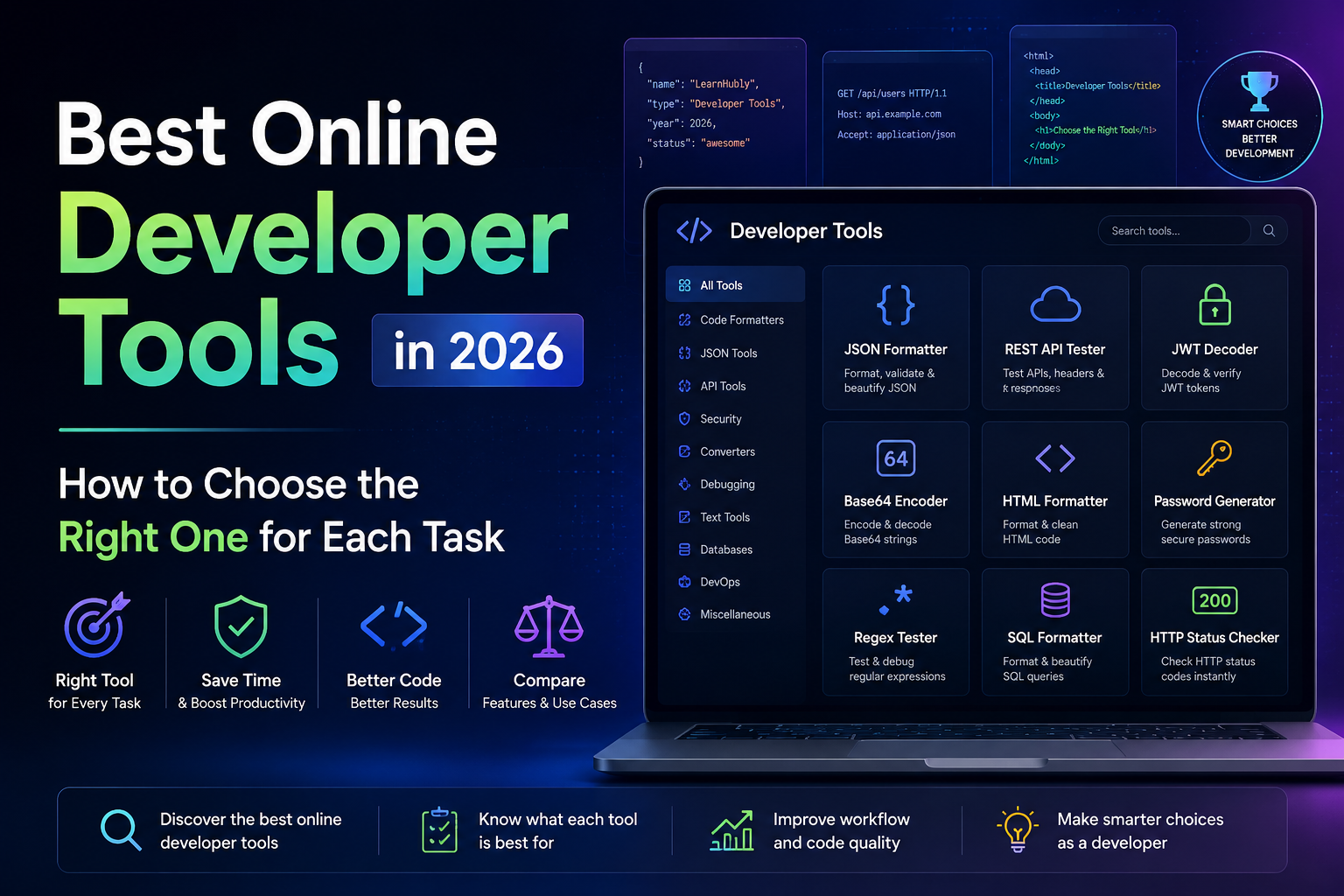
The honest problem with most "best developer tools" articles is that they're organised by tool, not by what you're actually trying to do. A list of sixty tools is not useful when you're stuck in the middle of debugging an API at 11pm. What's useful is knowing which three tools to open in that situation and in what order.
This article is organised by the problem you're solving, not by the product catalogue. I'll cover what tools exist for each situation, what they're genuinely good at, and — the section most of these articles skip entirely — when you should not be using an online tool at all.
LearnHubly has tools in most of these categories. I'll mention them where they're relevant, honestly and specifically, alongside what else exists.
API Debugging
This is where I spend a meaningful fraction of my working life, and the tooling here has gotten genuinely good. The typical debugging flow involves at least three different tools depending on what's failing.
When an API call fails and I'm in a browser, the first stop is DevTools — the Network tab gives me the raw request and response including headers, which no external tool can show me for requests my application is making. For manual requests, a REST API tester that lets me set headers, body, and method and see the full response is what I want. The LearnHubly REST API Tester works well for this — it shows status code, all response headers, and the body. For more complex workflows with saved collections and environments, Postman or Insomnia is the right choice.
When the problem is an authentication failure, I need to look at the JWT. Decoding it manually is error-prone and slow. A JWT decoder that shows me the header, payload claims, and expiry in one view takes ten seconds and tells me whether the token is expired, which issuer signed it, and whether the audience matches. That's usually enough to pinpoint a 401.
Start with the status code, work down from there. Each tool handles a specific layer.
The API Playground is worth a specific mention here — it has 30+ pre-configured public APIs you can fire requests against without any setup or API key for most of them. When I want to demonstrate something about REST behaviour or test a client pattern without wiring up a real backend, it's the fastest way to get a real response in front of me.
A pattern I've started following: when debugging a 401, I open the JWT decoder before I do anything else. Half the time the token is simply expired, which no amount of code inspection would reveal. It takes twenty seconds and rules out the most common auth failure cause immediately.
Data Conversion
Data conversion is probably the most common reason developers reach for an online tool. You've got JSON from an API and need it as a CSV for a spreadsheet, or a MongoDB insert, or a TypeScript interface. Writing a one-off conversion script is overkill. Copy-pasting and reformatting manually is error-prone. An online converter that does it instantly is the right call.
The LearnHubly JSON tools cover a lot of these cases — JSON to CSV, JSON to XML, JSON to MongoDB document format, JSON to Dart classes, JSON to TypeScript interfaces. These are genuinely the conversions I see developers needing regularly. They're all client-side, which matters when the JSON contains real data.
All of these run in the browser. Nothing gets sent to a server.
A note on Base64 specifically: the encoder handles both standard Base64 and Base64URL, which matters for JWT work. Standard Base64 uses + and / which break in URL contexts — Base64URL replaces those characters. If you're encoding something that will appear in a JWT, a URL parameter, or an HTTP header, use the Base64URL option.
Security and Authentication
These tools are the ones where the "client-side only" property matters most. If you paste a live JWT token, a real password hash, or sensitive credentials into a tool that sends data to a server, you've potentially exposed them. Worth knowing which tools you're using here.
The JWT decoder I use most is LearnHubly's — it processes client-side and decodes the header and payload immediately without any server round-trip. jwt.io is the other commonly used option; it's client-side for basic decoding though it does make network calls for signature verification against public keys. For most debugging purposes — checking expiry, reading claims, confirming the algorithm — you don't need signature verification.
Hash generators are genuinely useful for verifying data integrity and generating checksums for files or payloads. MD5 for legacy systems, SHA-256 for anything current. The hash generator runs client-side so the data being hashed never leaves your browser — which is exactly what you want when hashing anything sensitive for verification purposes.
A quick way to verify whether a tool is truly client-side: open the browser's Network tab, paste your data, click the action, and watch whether any network requests fire. Genuine client-side tools trigger nothing. This takes ten seconds and removes any doubt.
Database and SQL
SQL formatting is one of those tasks that sounds trivial until you're staring at a 200-line JOIN query with inconsistent capitalisation and no indentation. A good SQL formatter makes query logic legible, which makes debugging significantly faster. It also helps when you're writing SQL in an ORM context and want to see the generated query cleanly formatted before running it.
Beyond formatting, the conversion tools between SQL and other formats are genuinely useful for data pipeline work — converting a CSV to SQL insert statements, or a SQL result to JSON for an API response. These are the kinds of tasks where writing a script is overkill but doing it manually is tedious enough to cause errors.
The SQL cheatsheet is worth mentioning separately here — it has the window functions, aggregate functions, JOIN variations, and DDL syntax that I still look up occasionally even after fifteen years. The cheatsheet is searchable, which matters when you remember the concept but not the exact syntax.
DevOps and Infrastructure References
This is where online tools shift from active utilities to reference material. I'm not formatting Docker commands in a browser — I'm writing them in a terminal. But I am looking up the exact flag for docker run memory limits or the kubectl command to get pod logs for a specific container. Searchable cheatsheets that I can open in a tab and query are how I handle this.
The cURL cheatsheet is the one I open most — not because I've forgotten how cURL works, but because the exact syntax for things like following redirects, setting multiple headers, measuring response timing, or handling a multipart form upload is specific enough that I'd rather look it up than risk a subtle mistake in a debugging session.
Utility Tools That Save Specific Small Amounts of Time Repeatedly
These don't fit a neat category but they accumulate into real time savings. UUID generation for test data. Epoch timestamp conversion when you're reading a Unix timestamp in a log and need to know what time it actually represents.
The epoch converter is the one I probably use most from this group. Logs, database records, JWT expiry claims — they're all in Unix timestamps, and reading 1748649600 cold is not something a human does quickly. The converter takes two seconds.
When NOT to Use an Online Tool
This is the section most tool-catalogue articles never write, because it's not in the interest of someone trying to drive traffic to their tools. I'm going to write it anyway because it's genuinely important and I think skipping it would make the rest of this article less trustworthy.
Don't use online tools for anything in your regular development workflow. If you're formatting SQL queries multiple times a day, that should be handled by your IDE — a Prettier plugin, a VS Code extension, a database client with built-in formatting. Reaching for a browser tab every time adds friction and means the task doesn't scale. Online tools are for one-off tasks, not repeating ones.
Don't paste live credentials, active JWT tokens, or real user data into tools you haven't verified are client-side. The risk is real. A tool that sends your JWT to a server could log it. A tool that processes your API key server-side now has your key in their request logs. Even for tools that claim to be client-side — verify with the Network tab. This takes ten seconds and the certainty is worth it.
Don't use browser-based tools for anything that needs to run at scale or in automation. A JSON formatter in a browser is fine for a 200KB API response. It's not the right tool for validating 50,000 JSON records in a data pipeline. For that you want jq, Python's json module with ijson for streaming, or a proper schema validation library in your language. Browser tools have memory limits and can't be scripted.
Don't use online tools as a substitute for understanding what you're doing. Pasting a JWT into a decoder and reading the expiry is useful. Pasting a JWT into a decoder, copying the output, and not knowing what exp, iss, or aud mean is not useful — the next problem you'll just paste again and still not understand what you're looking at. The tool should be a quick assist, not a black box.
Don't use online tools in CI/CD pipelines. Validation, formatting, and conversion that needs to happen in your build or deployment pipeline should use CLI tools — jq, ajv-cli, prettier, language-specific libraries. Browser tools can't be called from a shell script. If you find yourself manually doing something in a browser tool that you then need to verify was done correctly before deploying, that step belongs in your pipeline, not in a tab.
The practical framing I use: online tools are for questions you need answered right now. Formatting an API response you just received, decoding a token to diagnose a 401, converting a small file to a different format. Anything repeatable, automatable, or involving production data at scale belongs in your actual toolchain.
A Quick Reference — Which Tool for Which Situation
| Situation | Reach for | Why |
|---|---|---|
| API returns 401, debugging auth | JWT Decoder | Check expiry, issuer, audience in 10 seconds |
| API response is hard to read | JSON Formatter | Tree view makes nested structures navigable |
| Testing an API endpoint manually | REST API Tester | Set headers, body, method — see full response |
| Learning a new public API | API Playground | 30+ pre-configured APIs, no setup needed |
| Need JSON as a CSV for a spreadsheet | JSON → CSV converter | One-off task, faster than writing a script |
| Need to send a file through a JSON API | Base64 Encoder | Converts binary to safe text for JSON payloads |
| SQL query is unreadable | SQL Formatter | Indentation and capitalisation in one click |
| Forgot the exact git rebase flag | Git Cheatsheet | Searchable reference, faster than man pages |
| Log has a Unix timestamp | Epoch Converter | Converts to readable date instantly |
| Need to validate 10,000 JSON records | jq or Python ijson | Browser tools can't handle this reliably |
| Formatting JSON files as part of development | VS Code / IDE | Part of your existing workflow, not a browser tab |
| JSON validation in CI/CD | jq in shell script | Scriptable, reliable, no browser dependency |
FAQs
Online tools are good for quick, one-off tasks — formatting a response, decoding a JWT, converting a small file. Local tools are better for repeating tasks, sensitive production data, and anything that needs to run in a pipeline or at scale. The framing I use: if you're doing the same task more than twice a week, it should be part of your actual development toolchain, not a browser tab you keep reopening.
Only if the tool is genuinely client-side — processing happens in your browser, nothing is transmitted. Open the browser Network tab before pasting data, paste it, trigger the action, and verify no requests fire. This takes ten seconds. For anything involving live credentials, active tokens, or real user data, the network tab check is worth doing every time rather than taking a tool's privacy claim at face value.
It depends on which layer of the problem you're at. For sending requests and seeing full responses: a REST API tester. For diagnosing a 401: a JWT decoder that shows expiry and claims. For understanding a complex response body: a JSON formatter with tree view. The debugging flow usually touches all three in sequence rather than one tool handling everything.
The Right Tool Is the One That Fits the Task — Not the One in the Catalogue
I wrote this article organised by problem rather than by product because that's how I actually think about tools. When I'm debugging a 401, I'm not thinking "which JWT tool should I use" — I'm thinking "I need to see this token's claims right now." The tool that answers that question fastest is the right one in that moment.
LearnHubly's tools are genuinely useful for a good chunk of what I've covered here. The REST API Tester for manual request testing, the JSON Formatter for response inspection, the JWT Decoder for auth debugging, the cheatsheets for DevOps references I'd otherwise have to search for. But the when not to use an online tool guidance is equally real — if you're doing something repeatably in a browser tab that belongs in your IDE or your pipeline, the tool is solving the wrong problem.
The tools that earn a permanent place in a developer's workflow are the ones that match the situation. — Priya
Explore the LearnHubly Developer Tools
60+ tools organised by task. All client-side, all free, no login required.